



Initializing Free Image Toolkit...
AI POWERED
100% Secure & Client-Side
First, Mark the objects you want to remove using the Mark tool, then press Remove Objects to finish.
Ratio Mismatch
select as solution
or
Alt Res:
AI Background Remover
100% Automatic & Free
Background
Stable Subject

AI Background Removal

100% Automatic • One-Click • Pro Quality

Step 1
1. Upload your image
Step 2
2. Mark the object or watermark you want to remove
Step 3
3. Download the processed image
Remove Any Background
100% FREE

Choose "Precise" for better edge detection on complex subjects.

Single Edit Bulk Mode
OR
1 Import Image / Link
2 Edit, Crop & Resize
3 Export & Download
No-Signup • 100% Free • Private

High-Fidelity AI
Bulk Background Removal.

The ultimate transparent background maker. Get professional-grade cutouts in seconds—now featuring Unlimited Bulk Processing for up to 20 images at once.
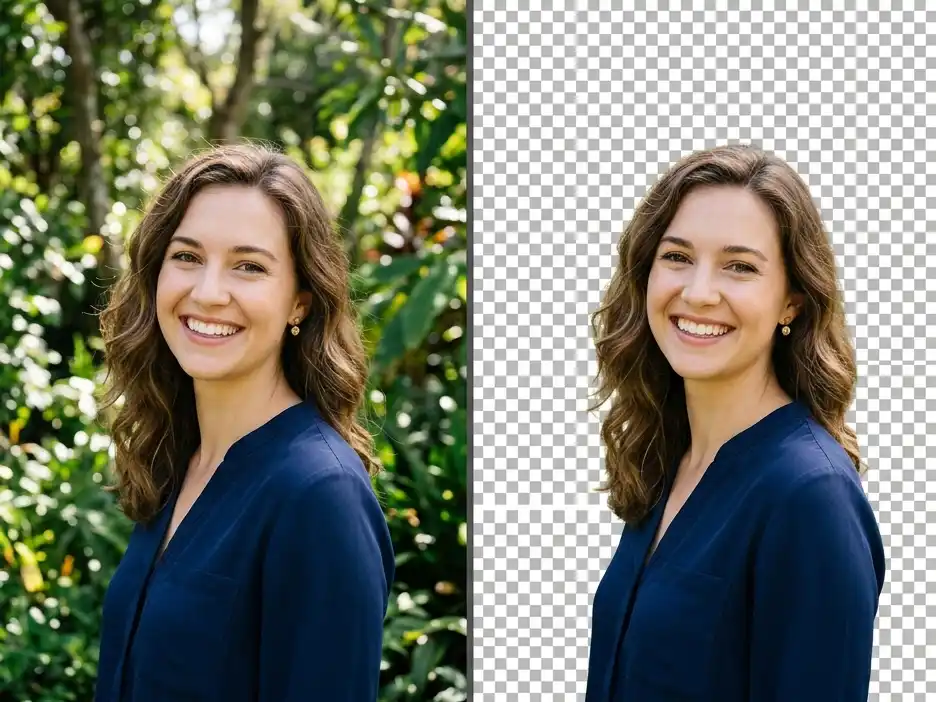
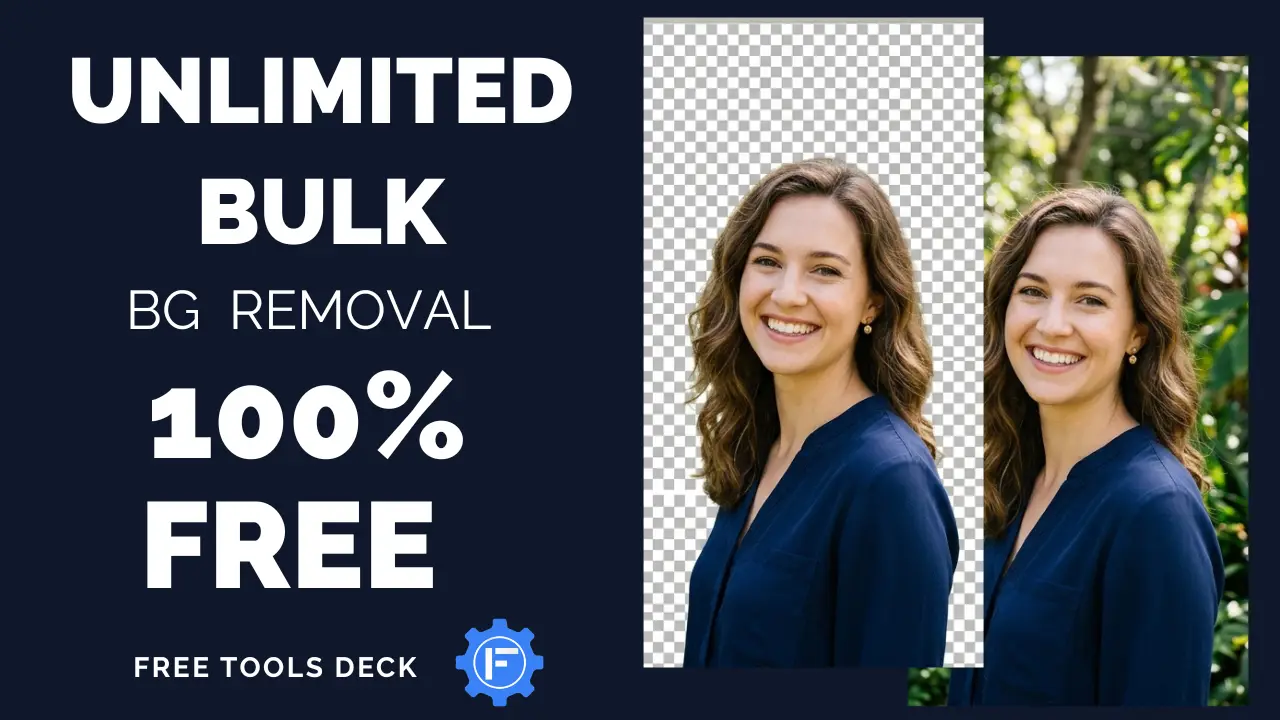
AI Background Removal Comparison - Transparent PNG Maker

How to Remove Backgrounds in Seconds

1

Select Your Photos

Upload a single image or a batch of up to 20 files (JPEG, PNG, or WebP). Our system handles any resolution, instantly preparing them for high-precision isolation.

2

AI Auto-Eraser

Our on-device AI automatically scans and erases the background. Keep it transparent, or swap it for a solid color or custom image instantly.

3

Download Results

Export your results as high-quality transparent PNGs or JPEGs. For bulk processing, all your files are neatly packaged into a single ZIP file for instant download.

Privacy-First AI Image Cutout

Your photos never touch a server. We use local neural processing to ensure 100% data security. Perfect for sensitive corporate headshots and private personal photos.

Free Bulk Background Eraser

Save hours of manual editing. Our Bulk Mode lets you remove backgrounds from up to 20 images simultaneously—100% free with unlimited batch usage and no hidden limits.

Complex Edge Detection

Our Neural Edge™ technology handles hair, fur, and transparent objects with surgical precision for a seamless cutout.

Custom Background Replacement

Go beyond transparency. Instantly swap your background for a solid color or upload a custom image to create studio-quality product shots and professional headshots in seconds.

local_ai_engine.sh
// BROWSER-BASED NEURAL NETWORK

No-Upload Background Eraser

Unlike legacy tools that upload your files to a cloud server, our Online Background Remover uses WebAssembly (WASM) and ONNX Runtime to execute deep learning models right on your machine’s GPU.

4K Support
Resolution
Zero Latency
No Uploading
Offline Mode
Client-Side
The Pro Tool for Modern Creators

📸 LinkedIn & Headshots

Remove messy backgrounds from professional headshots for a clean, studio-look in one click.

🛍️ Product Isolation

Perfect for eBay, Amazon, and Shopify sellers needing high-quality white background photos.

🎨 High-Res Graphics

Export ultra-HD transparent cutouts for YouTube thumbnails, posters, and marketing banners.

Frequently Asked Questions

How do I make a transparent background for free? +
Simply upload your photo to our Free AI Background Remover. Our tool will automatically detect the subject and generate a transparent PNG cutout instantly, with no sign-up required.
Is there a limit on image resolution? +
No. Unlike other tools that downscale your images, we support High-Resolution (HD/4K) background removal. Your results stay as crisp as the original file.
Can I remove backgrounds from hair and fur? +
Yes. Our advanced AI is trained specifically for complex edge detection, making it one of the best tools for removing backgrounds from hair, pets, and intricate objects.
Can I add a custom background color or image? +
Yes! Once the background is removed, our tool allows you to select a solid color (like pure white or brand colors) or upload your own background image to create a completely new look.
What is the best way to get a white background for product photos? +
Our tool makes this incredibly easy. Simply use the background replacement feature to choose a solid white color after the AI has isolated your product. It’s perfect for Amazon, eBay, and Shopify listings.
Can I remove backgrounds from multiple images at once? +
Yes! Our tool features a powerful Bulk Mode that allows you to upload and process up to 20 images simultaneously. Every image is processed individually with the same high precision as our single-edit mode.
Does bulk background removal reduce image quality? +
No. Each image in your batch is processed using the full power of our AI models. Whether you process one image or 20, you get the same high-resolution, pixel-perfect results as the original file.
How do I download my bulk results? +
Once your batch is processed, you can download all your transparent PNGs or custom-background images in a single, organized ZIP file with one click.
Technology Stack
IMG.LY AI
WebGPU
WASM